pythonopencvmediapipecomputer-vision
Gesture-Controlled Camera Filters Using Python, OpenCV & MediaPipe
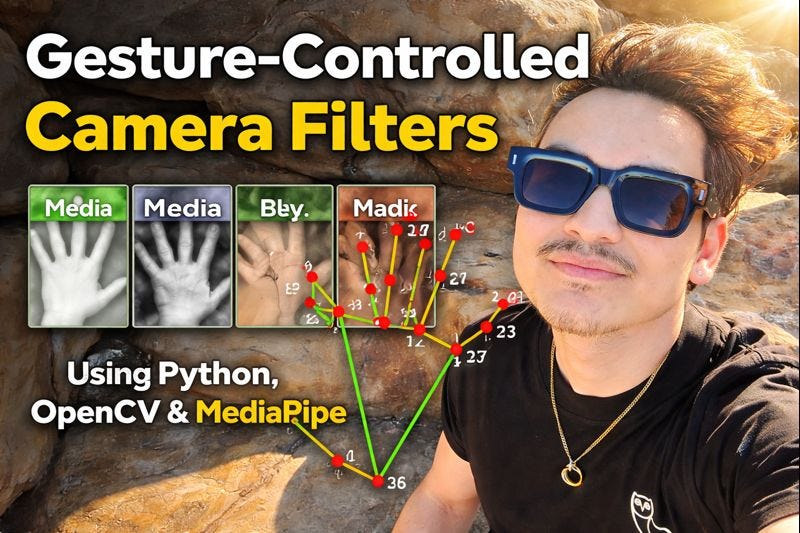
What if you could switch camera filters just by holding up fingers? No keyboard, no mouse — pure gesture control.
In this tutorial we'll build a real-time system that detects hand gestures via webcam and applies different visual filters depending on how many fingers you're showing.
Technologies
| Library | Role |
|---|---|
| Python | Primary language |
| OpenCV | Video capture and image processing |
| MediaPipe | Hand landmark detection |
| NumPy | Matrix operations for filters |
How Gesture Detection Works
MediaPipe detects 21 landmarks per hand. We determine if a finger is "up" by comparing the fingertip landmark position to the lower joint:
- Thumb — compared on the x-axis (horizontal)
- Other fingers — compared on the y-axis (vertical)
text
Fingertip y < Lower joint y → Finger is UP ✓Project Structure
text
gesture-filters/
├── app.py              # Main loop
├── filters.py          # Filter functions
├── gesture.py          # Hand detection logic
└── requirements.txt
text
# requirements.txt
opencv-python
mediapipe
numpy
Gesture Detection Module
python
# gesture.py
import mediapipe as mp

mp_hands = mp.solutions.hands
hands = mp_hands.Hands(max_num_hands=1, min_detection_confidence=0.7)
mp_draw = mp.solutions.drawing_utils

TIP_IDS = [4, 8, 12, 16, 20]  # thumb, index, middle, ring, pinky


def count_fingers(frame):
    rgb = frame[:, :, ::-1]  # BGR to RGB
    result = hands.process(rgb)

    if not result.multi_hand_landmarks:
        return 0, frame

    hand = result.multi_hand_landmarks[0]
    lm = hand.landmark
    mp_draw.draw_landmarks(frame, hand, mp_hands.HAND_CONNECTIONS)

    fingers = []

    # Thumb (horizontal comparison)
    fingers.append(1 if lm[TIP_IDS[0]].x < lm[TIP_IDS[0] - 1].x else 0)

    # Other four fingers (vertical comparison)
    for tip in TIP_IDS[1:]:
        fingers.append(1 if lm[tip].y < lm[tip - 2].y else 0)

    return sum(fingers), frame
Filters Module
python
# filters.py
import cv2
import numpy as np


def apply_grayscale(frame):
    gray = cv2.cvtColor(frame, cv2.COLOR_BGR2GRAY)
    return cv2.cvtColor(gray, cv2.COLOR_GRAY2BGR)


def apply_blur(frame):
    return cv2.GaussianBlur(frame, (21, 21), 0)


def apply_sepia(frame):
    kernel = np.array([
        [0.272, 0.534, 0.131],
        [0.349, 0.686, 0.168],
        [0.393, 0.769, 0.189],
    ])
    sepia = cv2.transform(frame, kernel)
    return np.clip(sepia, 0, 255).astype(np.uint8)


def apply_edges(frame):
    edges = cv2.Canny(frame, 100, 200)
    return cv2.cvtColor(edges, cv2.COLOR_GRAY2BGR)


FILTERS = {
    0: ("No Filter",  lambda f: f),
    1: ("Grayscale",  apply_grayscale),
    2: ("Blur",       apply_blur),
    3: ("Sepia",      apply_sepia),
    4: ("Edge Detect",apply_edges),
}
Main Application
python
# app.py
import cv2
from gesture import count_fingers
from filters import FILTERS

cap = cv2.VideoCapture(0)
print("Show fingers to switch filters. Press 'q' to quit.")

while True:
    ret, frame = cap.read()
    if not ret:
        break

    frame = cv2.flip(frame, 1)  # Mirror effect
    finger_count, frame = count_fingers(frame)

    name, fn = FILTERS.get(finger_count, FILTERS[0])
    output = fn(frame)

    # HUD overlay
    cv2.putText(output, f"Fingers: {finger_count}", (10, 40),
                cv2.FONT_HERSHEY_SIMPLEX, 1, (0, 255, 0), 2)
    cv2.putText(output, f"Filter: {name}", (10, 80),
                cv2.FONT_HERSHEY_SIMPLEX, 1, (0, 255, 0), 2)

    cv2.imshow("Gesture Filters", output)

    if cv2.waitKey(1) & 0xFF == ord('q'):
        break

cap.release()
cv2.destroyAllWindows()
Running It
bash
pip install opencv-python mediapipe numpy
python app.py
Hold up fingers in front of your webcam:
| Fingers | Filter |
|---|---|
| 0 | Normal |
| 1 | Grayscale |
| 2 | Blur |
| 3 | Sepia |
| 4 | Edge Detection |
Ideas for Extension
- Gesture cooldown — prevent rapid switching with a 1-second delay
- Both hands — left hand for filters, right hand for intensity
- Face filters — combine with MediaPipe Face Mesh
- Record — save filtered video with OpenCV's VideoWriter
- Desktop app — package with PyInstaller
This is a great project to demonstrate real-time computer vision skills. The same architecture applies to sign language recognition, fitness tracking, and AR applications.